Problem using the CCP: Agents can't make outbound calls in the Contact Control Panel (CCP)
This topic is for experienced IT administrators who need to investigate why agents in their contact center can't make outbound calls.
The top reason most agents can't make outbound calls from the CCP is because their instance of Connect Customer has not been set up to make outbound calls.
To enable agents to make outbound calls
-
Open the Connect Customer console at https://console.aws.amazon.com/connect/
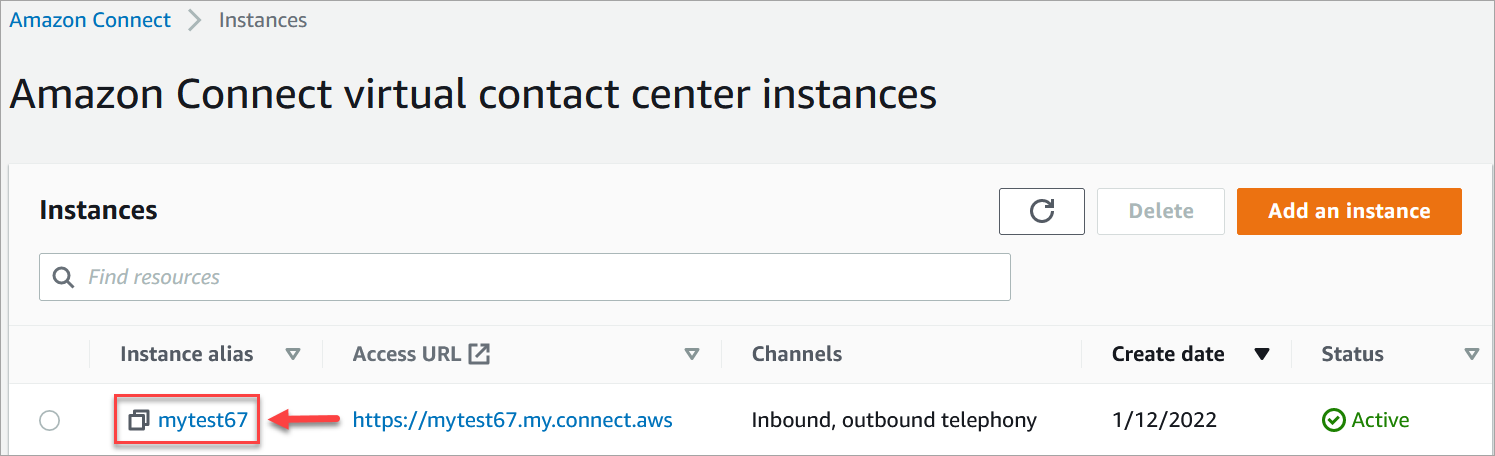
. On the instances page, choose the instance alias. The instance alias is also your instance name, which appears in your Connect Customer URL. The following image shows the Connect Customer virtual contact center instances page, with a box around the instance alias.
-
In the navigation pane, choose Telephony.
-
To enable outbound calling from your contact center, choose I want to make outbound calls with Connect Customer.
-
Choose Save.
