View a markdown version of this page

Using accurate audio/video synchronization - Amazon DCV

Using accurate audio/video synchronization

The Accurate Audio/Video synchronization setting enables a mode that minimizes the time difference in audio and video playback. This mode is useful in workloads that require the video and audio to be accurately synchronized, such as lip sync.

Important

This feature may produce a lag in the perceived responsiveness of the remote system.

Note

Accurate Audio/Video Synchronization requires Windows or Linux servers with hardware GPU acceleration, console sessions only, and a native client (Windows, macOS, or Linux).

Note

Accurate Audio/Video Synchronization is not supported on the web browser client.

Launch the client and connect to the Amazon DCV session. Do one of the following depending on your client.
Windows
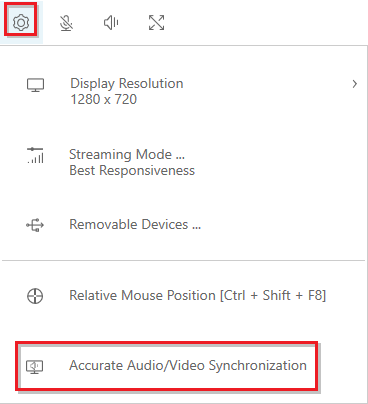
  1. Choose the Settings icon.

  2. Select Accurate Audio/Video Synchronization from the drop-down menu.

    Audio/Video Settings button that's located at the bottom of the Settings menu.
macOS
  1. Choose the Display toolbar button.

  2. Toggle Accurate Audio/Video Synchronization on or off.

    Display toolbar showing the Accurate Audio/Video Synchronization toggle.
Tip

You can also toggle this setting from the menu bar. Choose the Connection menu, then select Display, Accurate Audio/Video Synchronization.

Linux
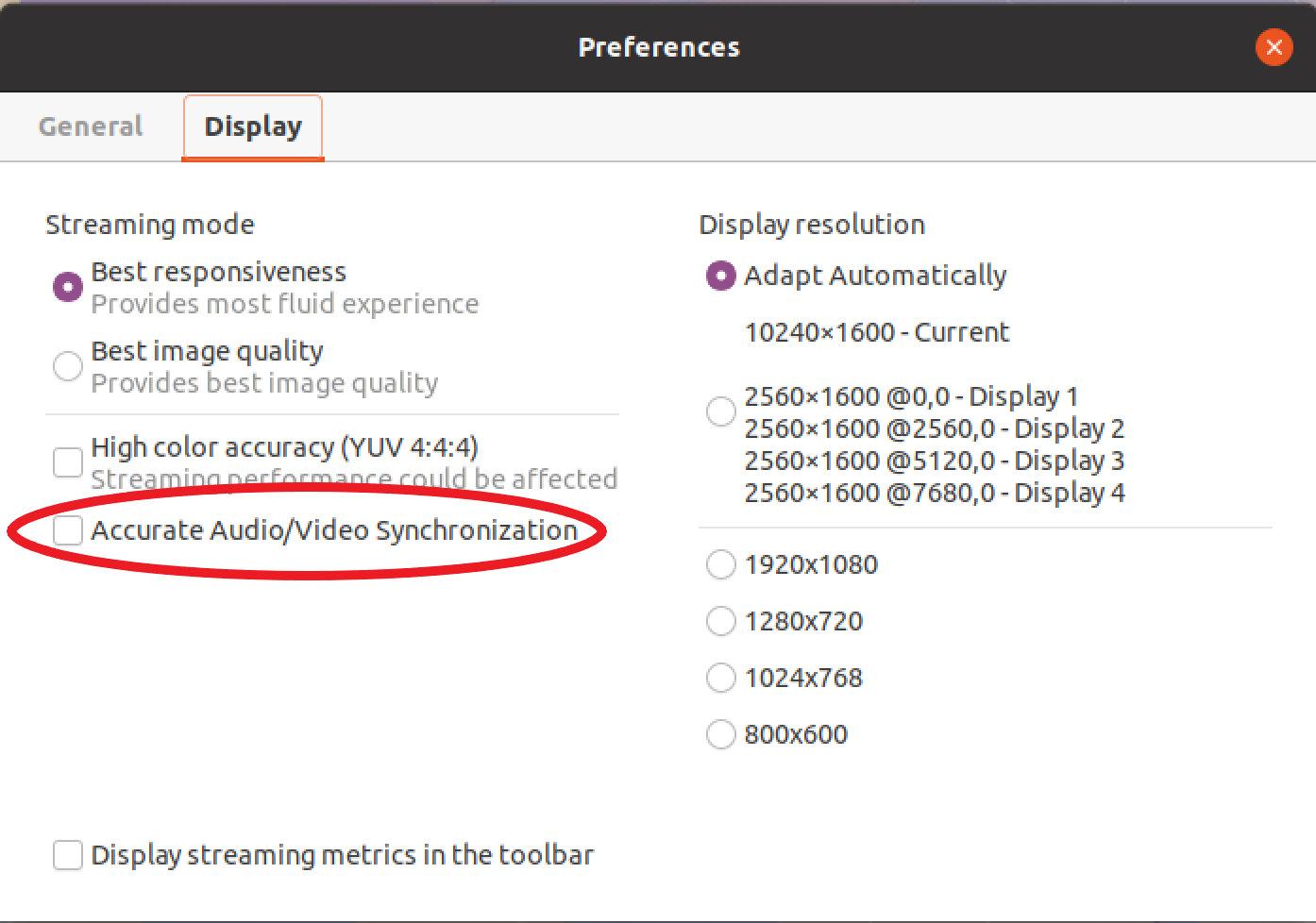
  1. Choose the Settings icon.

  2. Select Preferences from the drop-down menu.

  3. Check the box for Accurate Audio/Video Synchronization.

    Audio/Video Settings button that's located at the bottom of the Settings menu.